Keystone · by WorldQuant Learning

Help your curriculum investment go further.

Your institution has already invested years of expertise in its curriculum. Most of it sits in documents, drives, and memory, rebuilt every time a program or course changes. Keystone™ turns that curriculum into a structured, connected, and traceable system, so you can spend more time on what matters most: your learners.

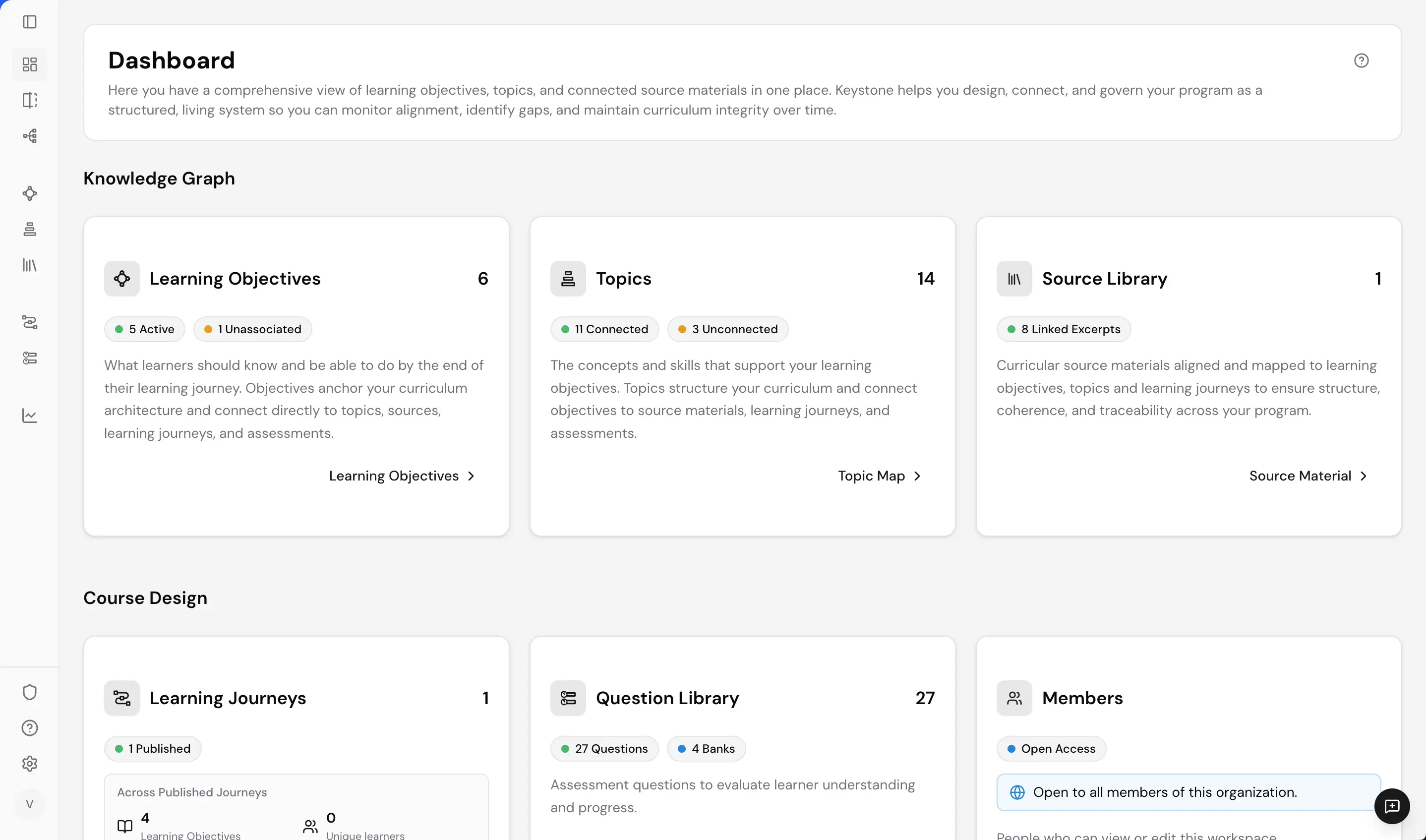
Keystone dashboard
How Keystone works

Built on your curriculum. Guided by your educators.

Keystone starts with the curriculum educators design and the source materials they choose, connecting that work across design, delivery, and review. AI creates draft curriculum from the objectives and sources educators select, while educators guide, review, and decide what moves forward. Teams build from what they already have, extending the value of their curriculum as programs grow and evolve.

HOW KEYSTONE WORKS
KNOWLEDGE GRAPH

Curriculum alignment, made visible.

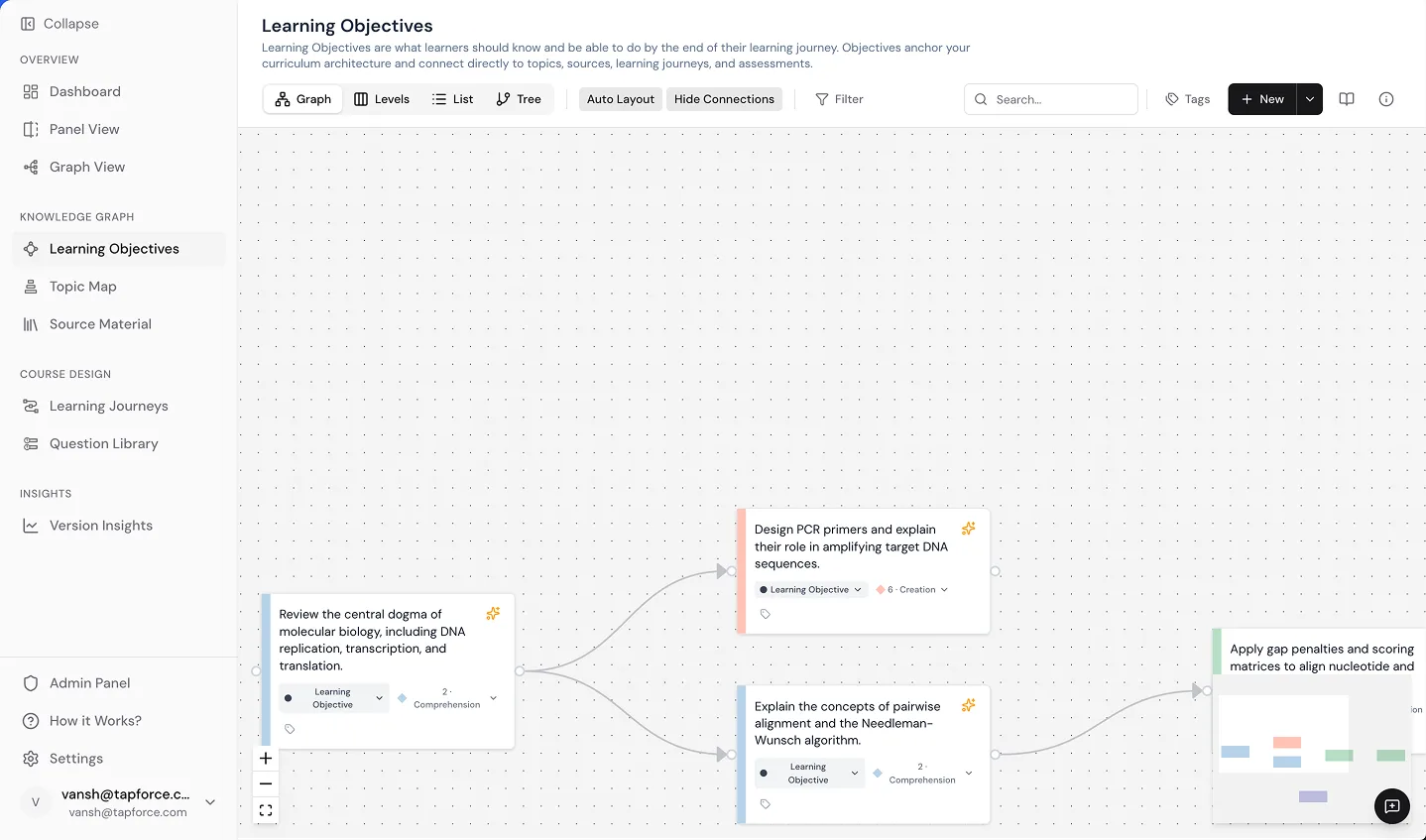
The Keystone Knowledge Graph maps learning objectives to the topics they cover and the source materials that support them. Courses, activities, and assessments built on that structure stay connected to the curriculum, so educators can trace what learners experience back to the objectives and sources that shaped it.
EXPLORE THE KEYSTONE KNOWLEDGE GRAPH →
Keystone Knowledge Graph interface
COURSE DESIGN

Build forward, without starting over.

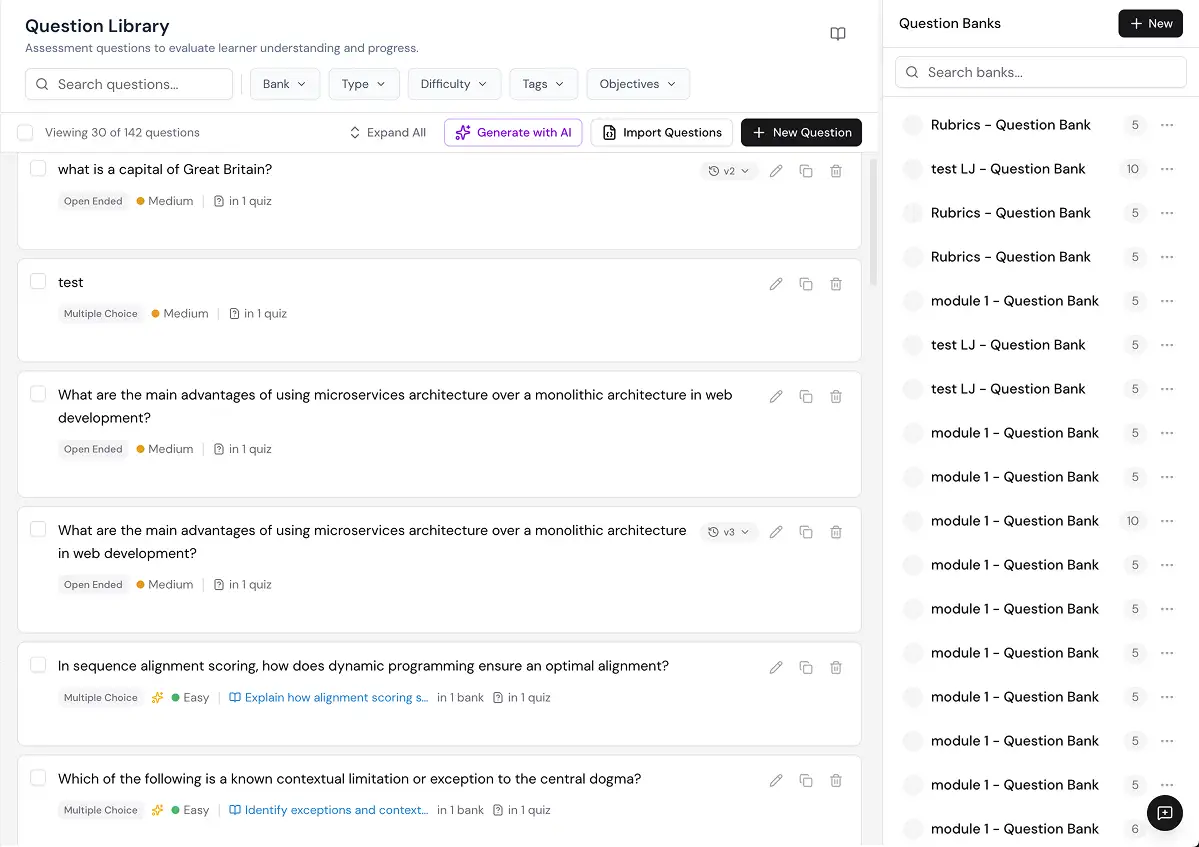
Course Design brings connected objectives and sources into building courses, activities, and assessments. Reuse and adapt what is already built without rebuilding the underlying curriculum, so programs can reach learners sooner.

EXPLORE COURSE DESIGN →
Keystone Course Design interface
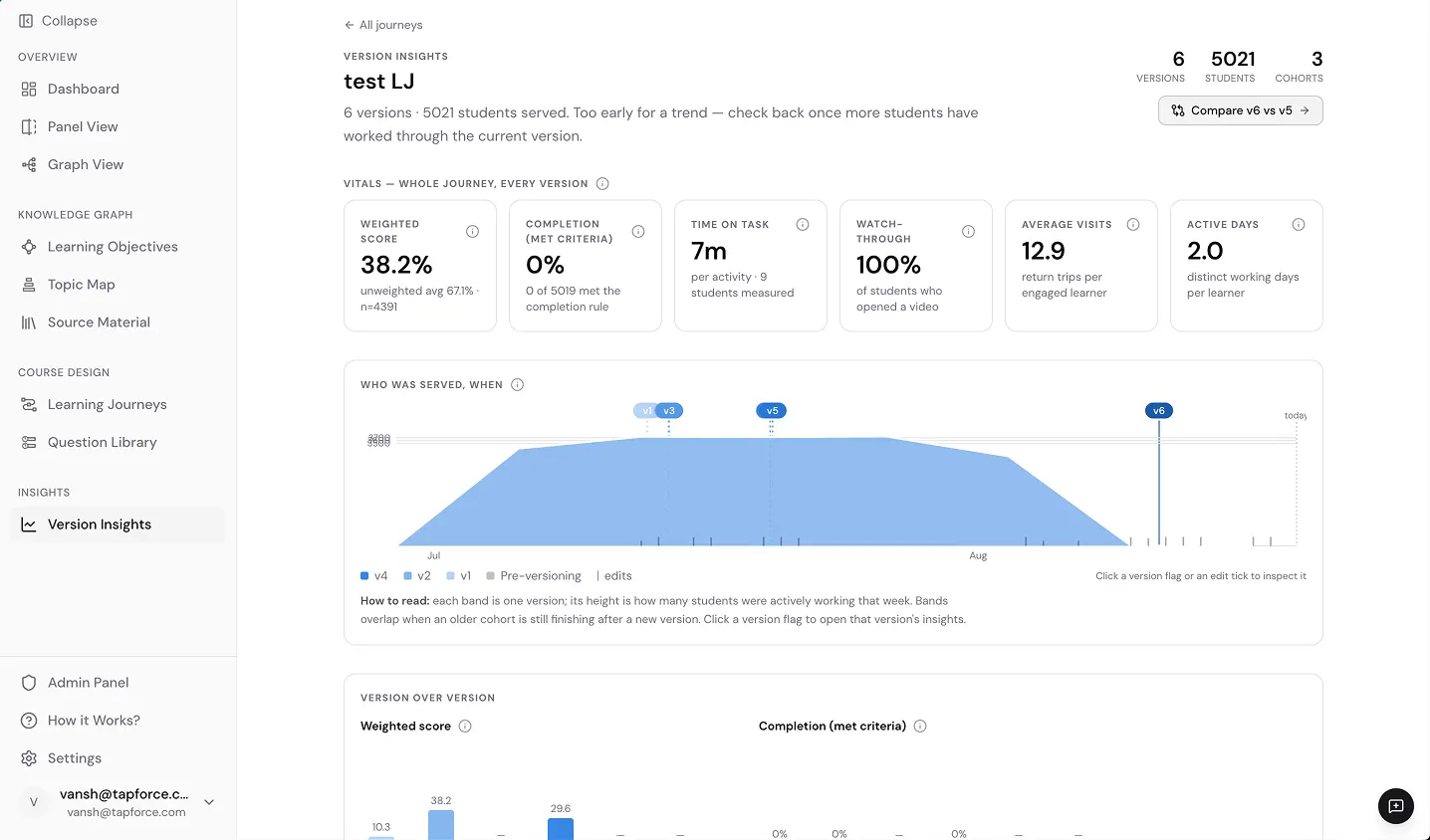
VERSION INSIGHTS

Every version preserved. Outcomes tracked.

Version Insights keeps every curriculum version visible and places learner measures alongside it. See when each version was in use, what changed, and where measures moved, without reconstructing the history later.

EXPLORE VERSION INSIGHTS →
Keystone Version Insights interface
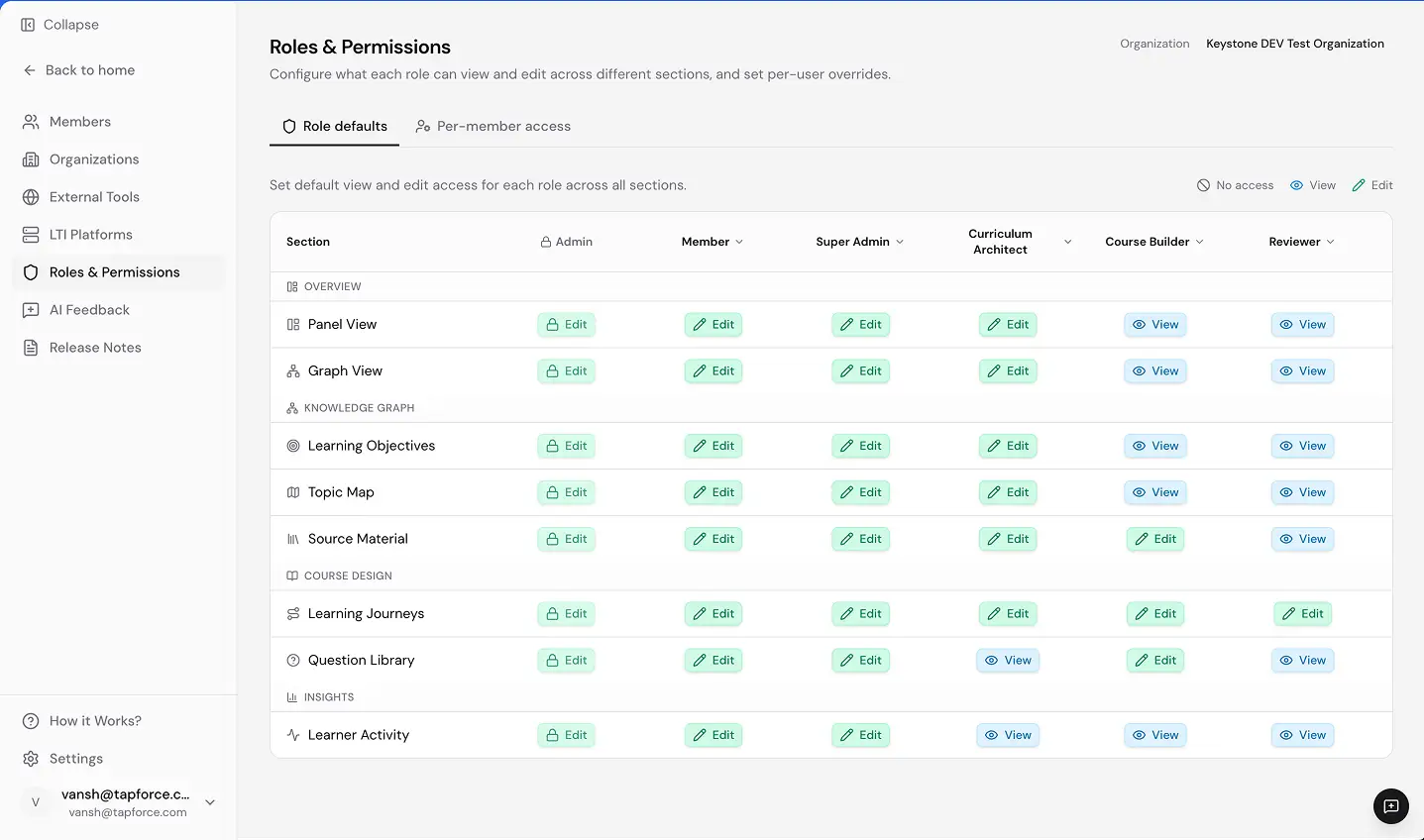
ADMIN PANEL

Manage curriculum and administration in one dynamic system.

Manage users, roles, permissions, institutional settings, and supported integrations across every program and workspace. Add programs, people, and workspaces without adding another system to manage.

EXPLORE THE ADMIN PANEL →
Keystone Admin Panel interface
This is Intelligent Curriculum.

Your curriculum, working as hard as your educators do.

Keystone connects curriculum across its full lifecycle. Institutions structure, improve, and maintain it without starting over at any stage, so curriculum evolves with the learners and programs it serves. Every objective traces to where it is taught and assessed, and accreditation-ready documentation builds automatically with every program instead of being assembled manually.