Every version preserved. Outcomes tracked.
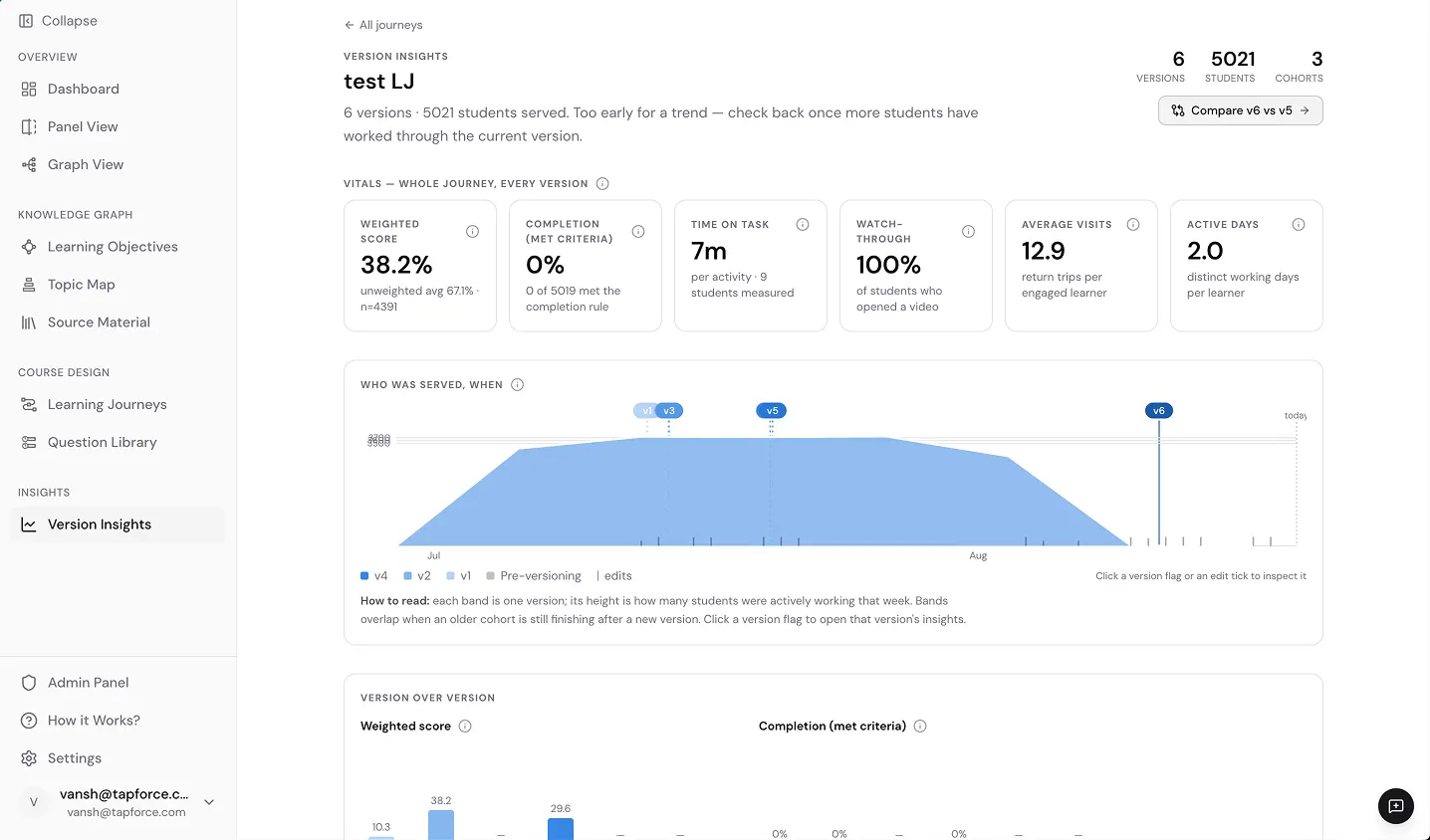
Version Insights preserves every curriculum version and places learner measures alongside it. See when each version was in use, compare what changed, and see how measures differed. The history stays intact, so you can review the record instead of rebuilding it.
Never lose sight of what changed.
Keystone preserves prior curriculum versions as a program changes. Teams can see when each version was in use and what changed from one to the next, creating a traceable record over time.
See learner data in curriculum context.
Compare available measures such as completion, time on task, and visits across curriculum versions. See where patterns moved or held steady, then decide which differences deserve a closer look.
Comparisons show what changed and what followed. Educators decide what it means.
Compare curriculum versions in one view.
Select two versions to see what was added, edited, or removed, then view those changes alongside learner measures from each.
Curriculum change and learner measures, connected in one view.
Use each version to inform the next.
Version Insights brings curriculum history and learner measures into the same review. Compare versions, identify patterns, and carry that context into the next curriculum decision.
Improvement you can track.
Versions, dates, changes, and available learner measures stay connected in Keystone, creating a traceable record of how the curriculum has changed and giving educators context to inform the next curriculum decision.